โ† Back to the home page Your own water

What you learn
stays yours.

A catch without context is a photo. With the conditions attached it becomes a clue โ€” and after a season, a pattern.

Swims

Know your water

  • Your waters with coordinates, photos and the history of what you caught there.
  • The pattern: at which score do you catch here? Not the average โ€” your water.
  • Satellite view included. Switch to aerial view with one tap and read the bank: where the reeds are, where you can sit, how the water runs.
  • There are four ways to add a swim: your current spot, searching by name or postcode, tapping the map, or pasting coordinates a mate sent you.
  • Unlimited swims with Premium, three in the free version.
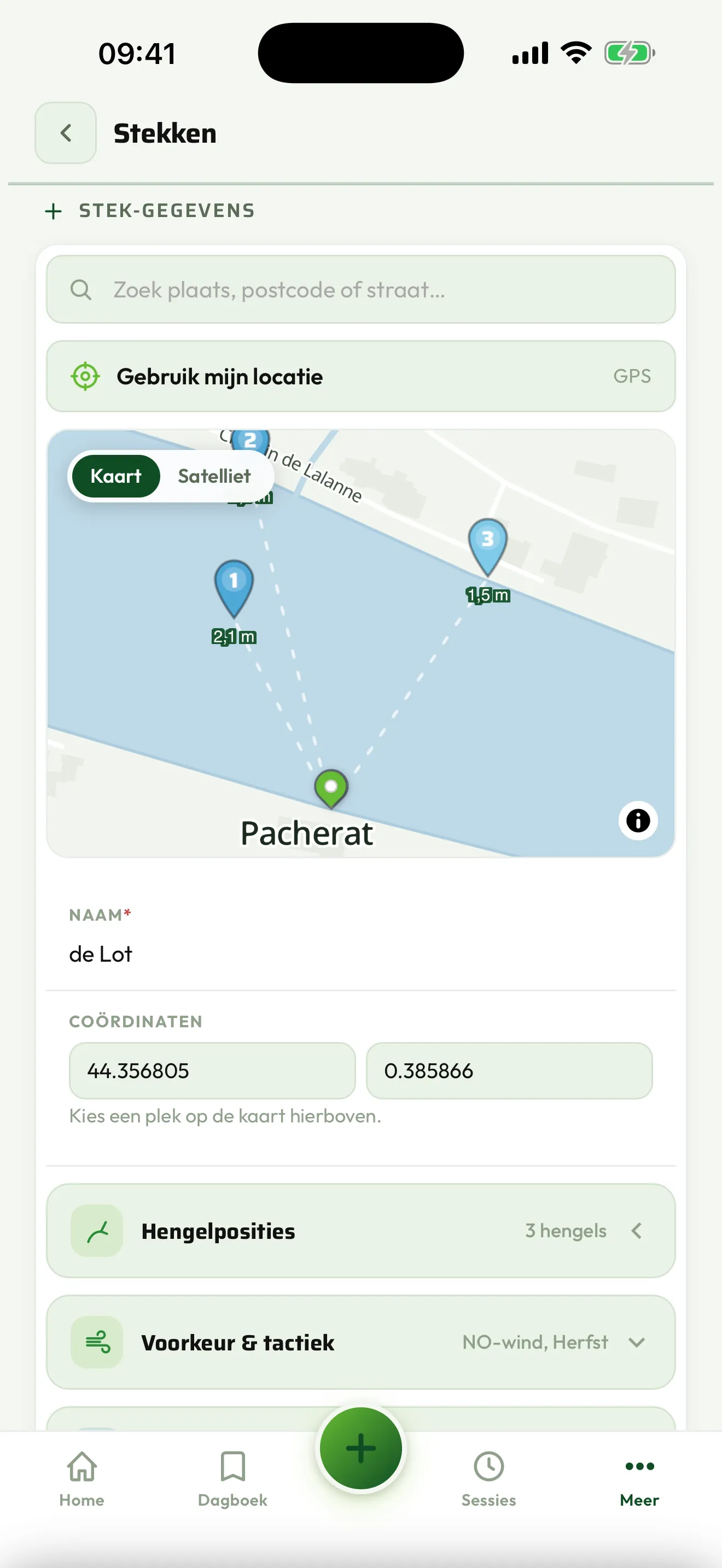
A swim with the map and the history
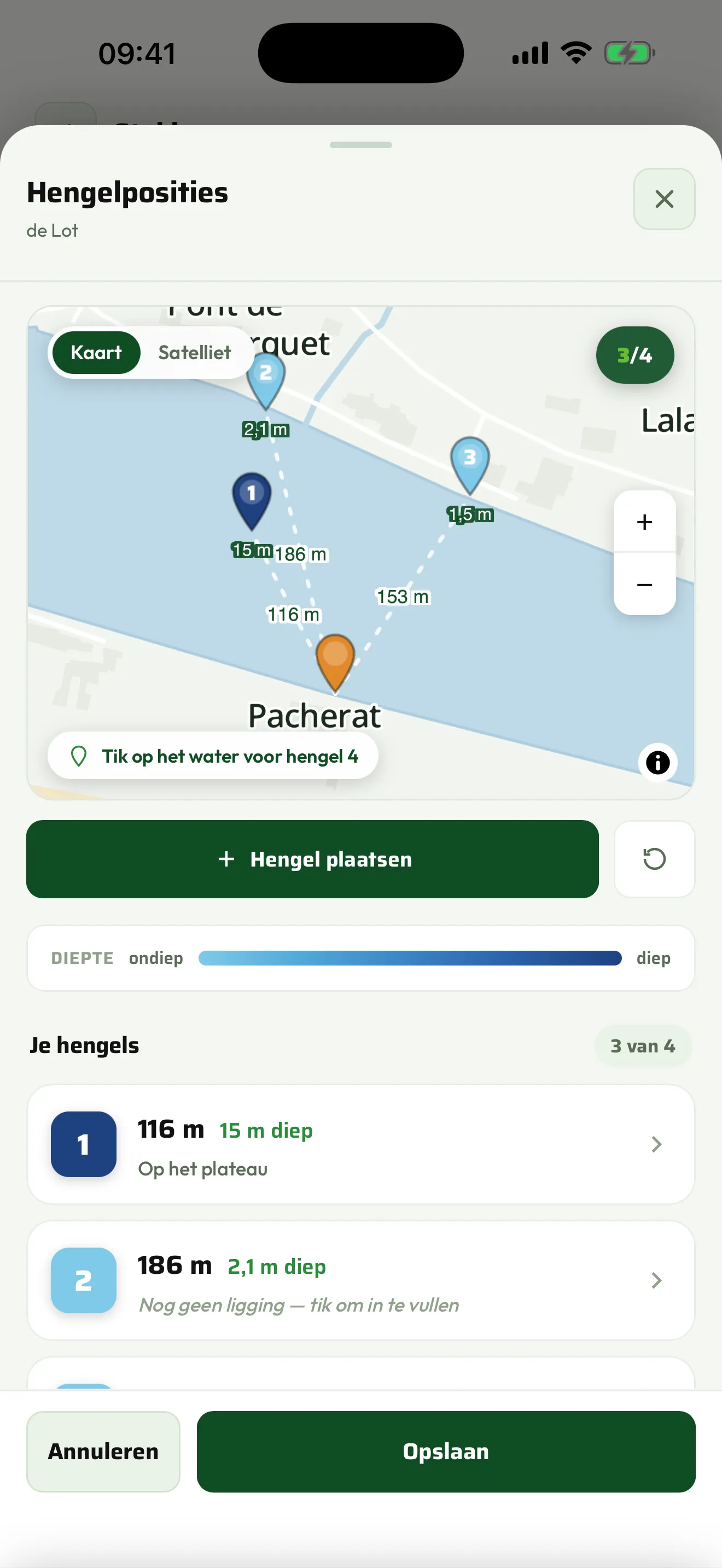
Rod positions with cast lines and depth colours
Rod positions

Record where
you were when it
happened

You only repeat a good cast if you know where it landed.

  • Tap the map to place a rod and drag it to your baited spot.
  • The app draws the cast line and works out the distance to your swim live.
  • Give each rod its depth โ€” a colour scale then shows at a glance where you are shallow and where deep.
  • Switch to satellite to read the structure of your water as well.
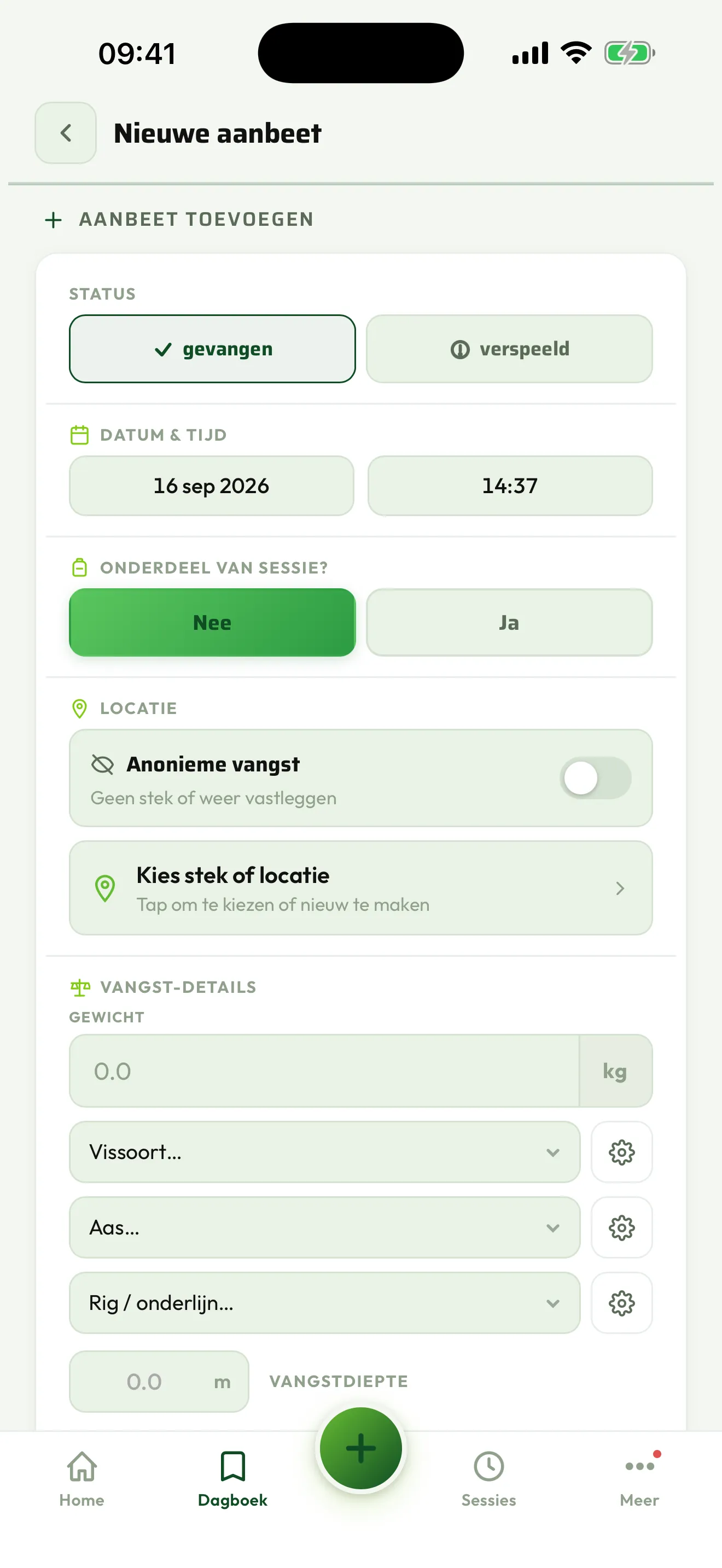
The screen for recording a catch
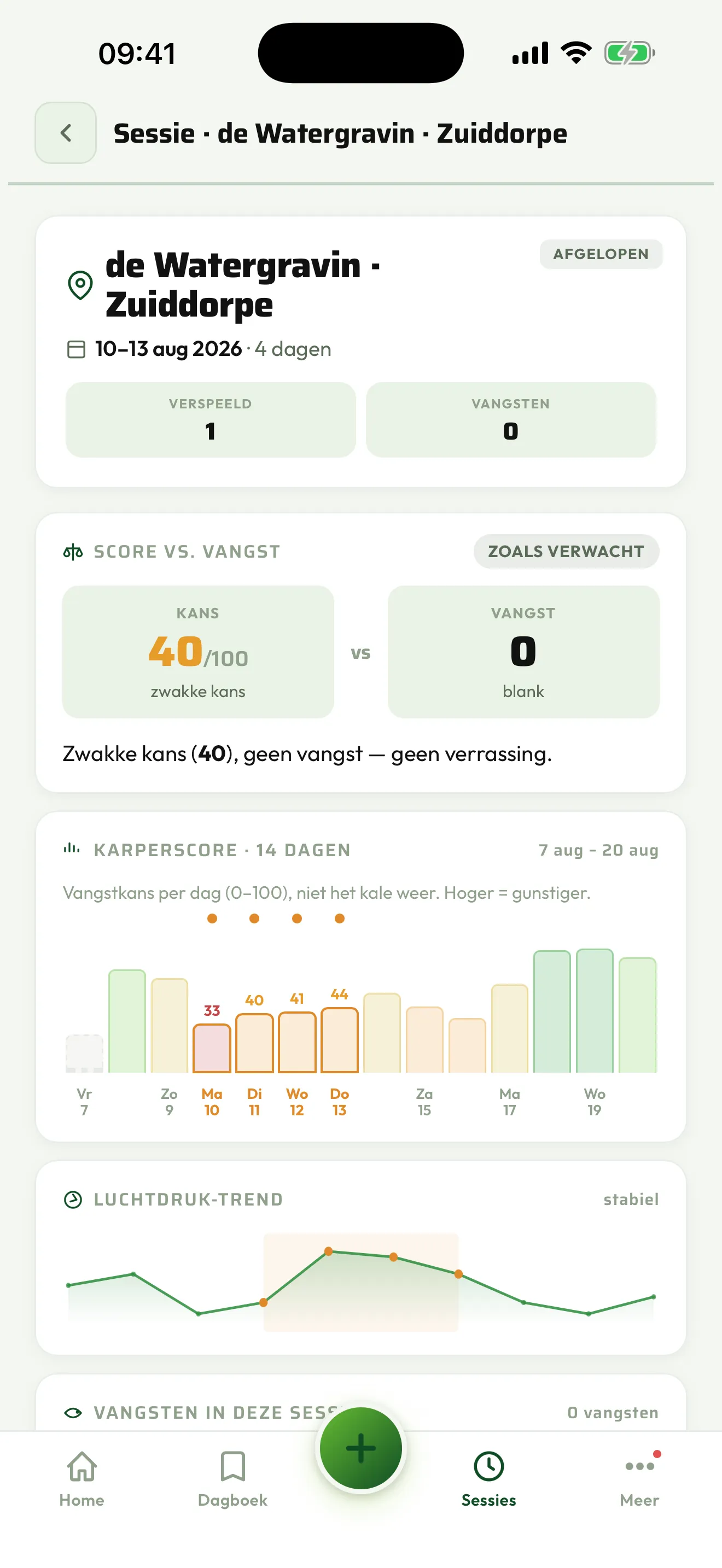
The overview of a finished session
Sessions

Record
what happened

  • Start on arrival โ€” the app offers it itself when you reach a swim.
  • Add a catch with photo, weight, bait and rig. The conditions at that moment are saved automatically.
  • Your blanks too. They count, and that is exactly the point: without blanks you learn nothing.
  • And afterwards you see the whole picture: how long you sat, what score those days had, how the pressure ran, and what came up in that time.
  • When you drive off, the app asks whether to finish the session.
Your lists

The app adapts
to you

Everyone fishes differently. That is why the lists you choose from are not fixed.

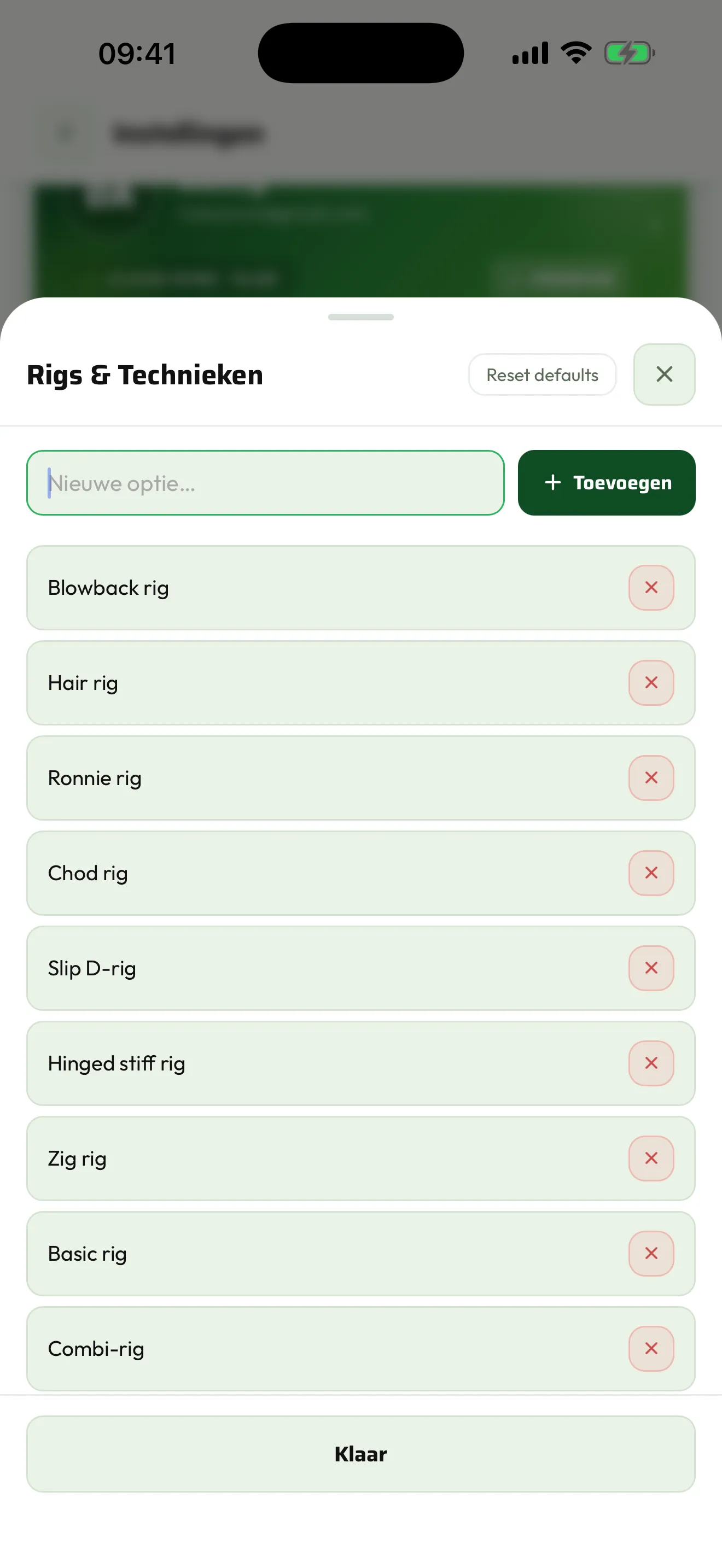
  • Species, baits, rigs and hooklinks, and groundbait โ€” all of them you can add to, rename and remove.
  • Add your own boilie brand, your own rig names. So you record what you actually use instead of something that roughly matches.
  • Groundbait with weight: pick several types and note how much you put in, in kilos or grams.
  • What you use often moves to the top, so filling it in gets quicker every time.
Your own lists of baits, rigs and groundbait
Diary

Look back,
and see the pattern

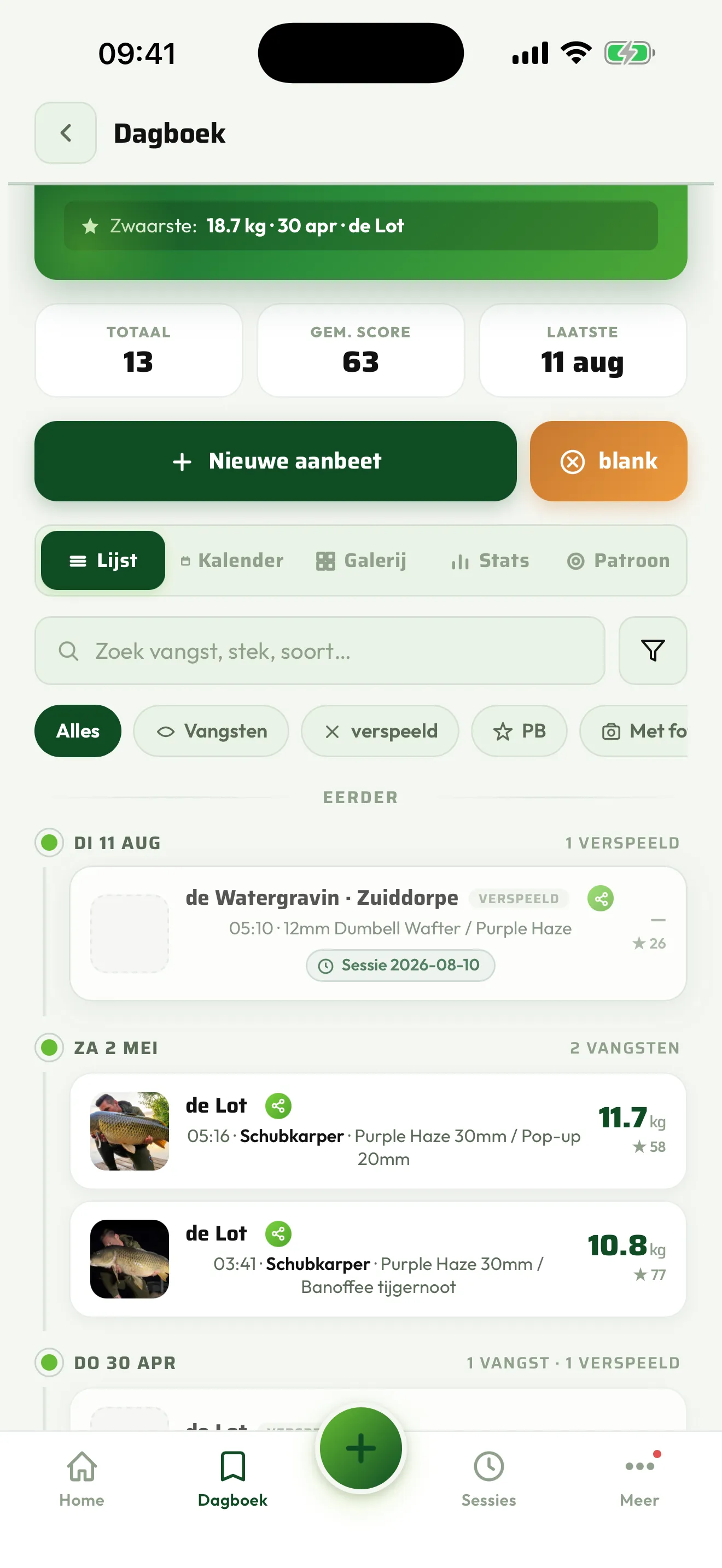
  • Stats on bait, rigs, weather types and your score trend through the year.
  • Years side by side: did June do the same last year?
  • A gallery of your catches, and a calendar of your sessions.
  • Everything stays on your device and in your own cloud โ€” not in a public feed.
The diary with catches and stats
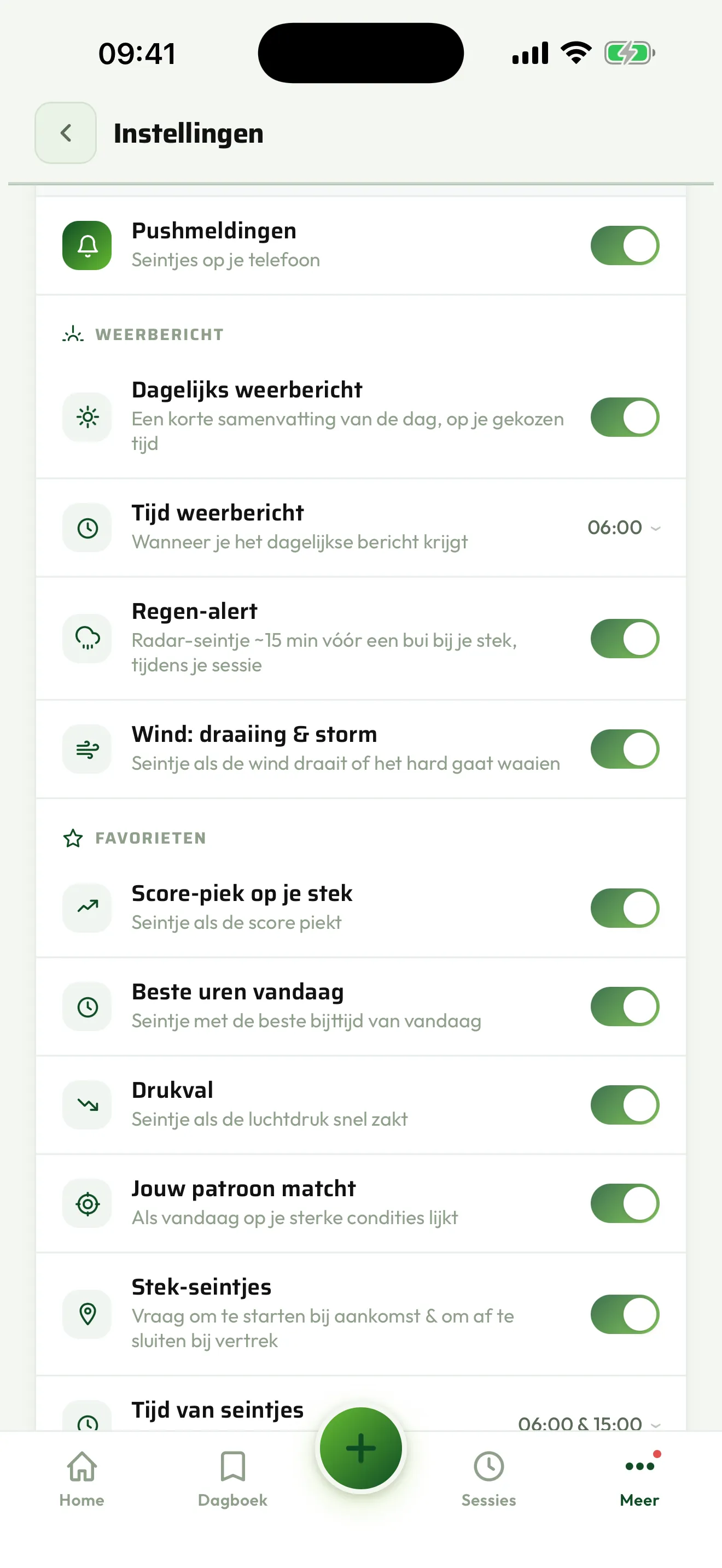
The notification settings, on or off per type
Alerts

A tap on the shoulder

Only when it matters. And you choose per type what you want to receive.

  • Score peak at one of your swims.
  • Pressure drop on the way.
  • The best hours of today.
  • Rain and wind during your session, radar-accurate.
  • Your trip: a reminder the day before, and an alert when the score for that day shifts.
  • From your crew: a shared catch, a new message, a shared trip or swim, or someone starting a co-op session.
Worth knowing

Frequently asked questions

What happens to my swims?

They are on your device and in your own account. Nobody else can see them, unless you share them with your crew yourself โ€” and then you decide each time how precisely.

Why should I record blanks?

Because a score of 80 that produced nothing tells you as much as a score of 40 that worked. The app uses both to learn when you catch at that swim.

Can I take my data with me?

Yes. Under Settings you can export all your data. It is yours and it stays that way.

How many swims can I save?

Three in the free version, unlimited with Premium. Of those you can mark up to twenty as favourites โ€” that is the limit iOS puts on monitoring locations.

All frequently asked questions โ†’